
Choosing Databases for AI Agent State, Memory, and Context
Most AI agent failures don’t come from the model.
They come from the database architecture underneath the agent memory system.
I’ve watched teams spend weeks tuning prompts, swapping models, and experimenting with LangChain memory abstractions. Meanwhile the real problem sat underneath the stack: the system stored agent state in the wrong database.
Agents don’t fail because GPT-4 forgets things. They fail because context disappears, retrieval slows down, or memory systems collapse under load.
If you plan to run AI agents in production, database architecture becomes a core part of your agentic system architecture. Models generate responses, but databases determine what the agent actually knows and remembers.
After deploying multiple production agent systems, one lesson stands out:
The database layer determines how intelligent your agent appears.
Let’s break down how to design it properly.
The Three Memory Layers Every AI Agent Needs
Most teams treat AI agent memory as a single storage problem. That assumption breaks systems quickly.
Agents operate across three different memory layers, each with different latency, scaling, and query requirements.

I design most agent architectures around the following layers:
1. Agent State
Agent state stores the operational status of the system.
Examples include:
- conversation session metadata
- tool execution status
- workflow step tracking
- user session identifiers
- agent routing decisions
This layer demands strong consistency and transactional safety.
A relational database usually handles this best.
2. Short-Term Context
Short-term memory stores recent conversation context.
Agents constantly read and update this layer during conversations.
Examples:
- last 10–20 conversation messages
- recent tool outputs
- temporary reasoning steps
- active workflow data
This layer requires very low latency.
Most systems use Redis.
3. Long-Term Memory
Long-term memory holds information the agent retrieves during reasoning.
Examples:
- past conversations
- knowledge base content
- documents
- embeddings for semantic search
This layer usually uses vector embeddings and supports retrieval augmented generation (RAG).
Many teams implement this layer using vector databases.
If you want a deeper explanation of how these layers interact, the architecture behind agent memory architecture explains the design in more detail.
The key lesson remains simple:
Each memory layer needs a different database design.
The Hidden Complexity of AI Agent State Management
Most early AI demos store everything inside a single vector database.
This approach fails quickly.
Vector stores handle semantic retrieval, but they struggle with transactional workflows.
Agents perform structured operations constantly:
- scheduling tasks
- updating session state
- recording tool outputs
- tracking reasoning steps
- storing user preferences
These operations demand strong relational guarantees.
I’ve seen teams try to push agent state into vector stores. They end up rebuilding half of a relational database on top of it.
Instead, I recommend separating responsibilities clearly.
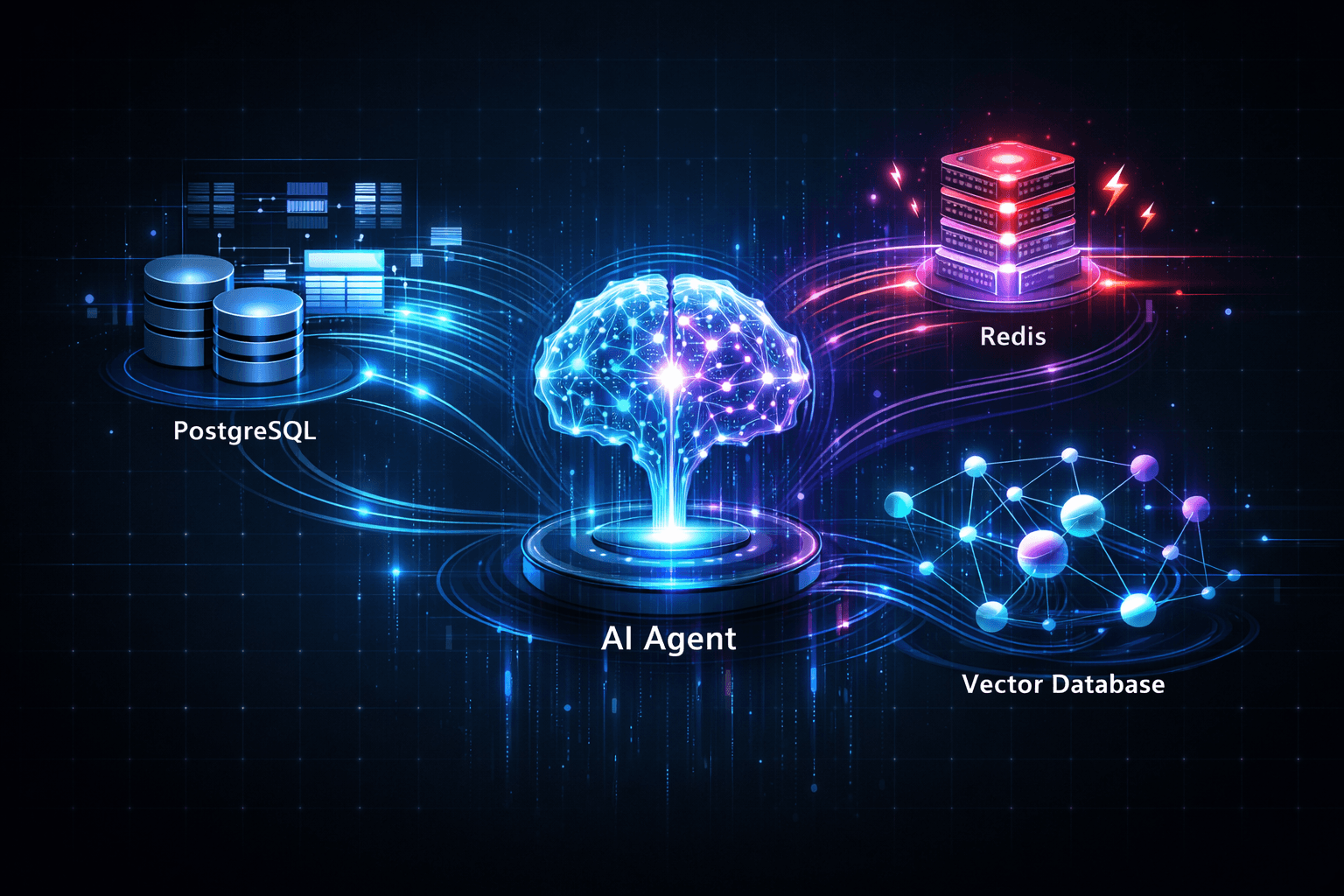
A stable AI agent state management layer typically looks like this:
- PostgreSQL → core system state
- Redis → live conversation context
- Vector DB → semantic memory retrieval
This architecture gives each database a clear role.
Vector databases vs relational databases for AI agents
The industry conversation around AI databases often turns into vector database hype.
The reality looks different in production.
Vector databases solve one problem extremely well: similarity search across embeddings.
They do not replace relational databases.
Let’s compare how these systems behave in real agent infrastructure.
Relational Databases (PostgreSQL)
Relational systems still run most AI agent backends.
They provide:
- transactional integrity
- schema enforcement
- predictable query performance
- mature indexing systems
- operational reliability
Typical agent workloads inside PostgreSQL include:
- user management
- session tracking
- tool execution logs
- workflow state machines
- billing data
- agent orchestration records
Many developers underestimate how much agent logic depends on this layer.
Vector Databases
Vector databases store vector embeddings for semantic retrieval.
Popular systems include:
- Pinecone
- Weaviate
- Qdrant
- Milvus
These systems excel at:
- nearest-neighbor search
- similarity ranking
- semantic document retrieval
- RAG pipelines
They struggle with:
- complex joins
- transactional updates
- structured queries
- relational constraints
Vector search plays a critical role in agents, but it represents one subsystem, not the entire data architecture.
Tactical Digression: When a Vector Database Became the Bottleneck
A team once asked me to help diagnose a failing agent platform.
The architecture looked modern on paper.
They stored everything inside a vector database.
Conversation logs. User preferences. Knowledge documents. Even workflow states.
At first the system worked beautifully.
Then the dataset crossed 20 million embeddings.
Retrieval latency jumped from 80 milliseconds to nearly 2 seconds.
Agents stalled during reasoning.
User conversations froze while the retrieval layer struggled to return results.
We traced the issue quickly.
The system issued four vector searches per message. Multiply that by thousands of concurrent users and the vector store collapsed under query load.
We redesigned the system:
- PostgreSQL stored conversation history
- Redis stored short-term context
- Vector search handled knowledge retrieval only
The same system recovered immediately.
Vector databases perform well when you use them correctly. They collapse when you treat them like universal storage engines.
How to choose a database for AI agent memory
Choosing the right storage architecture requires understanding query patterns, not just database features.
Agents perform several distinct operations repeatedly.
Start by mapping those operations.
Step 1: Identify Agent Workloads
Look at what your agent actually does.
Typical workloads include:
- session management
- conversational context retrieval
- knowledge base search
- tool execution tracking
- workflow orchestration
- user profile storage
Each workload requires different performance characteristics.
Step 2: Map Workloads to Storage Types
A practical mapping usually looks like this:
PostgreSQL
Handles:
- user data
- agent workflows
- conversation logs
- analytics
- tool call history
Redis
Handles:
- live conversation context
- temporary reasoning chains
- caching retrieval results
- rate limits and session tokens
Vector Database
Handles:
- semantic document search
- knowledge retrieval
- embeddings storage
- RAG queries
This structure keeps your system predictable under load.
Step 3: Design Retrieval Pipelines Carefully
Many teams introduce unnecessary vector queries.
A typical RAG pipeline should look like this:
- User sends message
- Agent checks Redis for recent context
- System retrieves structured user data from PostgreSQL
- Agent performs vector search if knowledge retrieval is needed
- Model generates response
You avoid expensive vector queries unless the system actually needs them.
Best database architecture for scalable AI agents
Scaling agents requires careful state distribution.
Agents constantly read and write memory across multiple subsystems.
Poor architecture introduces bottlenecks quickly.
The most reliable architecture patterns I’ve deployed follow this structure.
Core Infrastructure Layout
State Layer
- PostgreSQL cluster
- transactional agent state
- workflow tracking
- system metadata
Context Layer
- Redis cluster
- short-term conversation context
- session caching
- rate limiting
Memory Layer
- vector database
- embeddings storage
- semantic search
Processing Layer
- worker queues
- background embedding generation
- asynchronous memory updates
This separation prevents cascading failures.
Event-Driven Agent Memory
Agents generate constant events.
Examples include:
- new messages
- tool results
- document uploads
- user feedback
Instead of writing everything synchronously, modern architectures use event-driven systems.
Common patterns include:
- Kafka streams for memory updates
- asynchronous embedding pipelines
- background RAG indexing
- distributed state storage
Event-driven pipelines dramatically reduce latency pressure on the main agent runtime.
Why Relational Databases Still Anchor AI Systems
Despite all the hype around AI infrastructure, relational databases remain the most reliable backbone for agent systems.
They provide capabilities agents need every minute:
- transactions
- consistency guarantees
- relational queries
- mature operational tooling
Modern systems increasingly combine relational storage with vector extensions.
PostgreSQL now supports pgvector, which allows embedding storage directly inside relational tables.
This approach simplifies architectures significantly.
You avoid maintaining an entirely separate vector infrastructure.
I’ve seen PostgreSQL outperform specialized vector systems for mid-scale deployments.
Once datasets grow beyond tens of millions of embeddings, dedicated vector databases become more attractive.
Until then, relational systems often provide better operational stability.
Memory Systems and Agent Reasoning Quality
Database architecture directly affects reasoning quality.
Many engineers overlook this connection.
Agents build responses using retrieved context.
If retrieval fails, reasoning collapses.
Common problems include:
- missing documents during retrieval
- stale conversation memory
- inconsistent state updates
- slow retrieval queries
These issues appear as model hallucinations.
The model receives incomplete context and guesses the rest.
Improving database architecture often improves agent reasoning more than model upgrades.
Scaling AI Agent Backends
Scaling agents introduces new memory challenges.
Traffic increases:
- retrieval volume
- context writes
- embedding storage growth
- tool execution logs
Without careful architecture, these workloads overwhelm storage layers.
Systems that scale successfully usually adopt these practices:
- shard vector datasets
- cache frequent retrieval results
- batch embedding generation
- store only relevant conversation memory
- compress long conversation histories
Teams working on scaling AI agent backends often discover that the biggest challenge isn’t compute power.
It’s memory coordination across distributed systems.
Practical Architecture Checklist
Before deploying agents at scale, verify your memory architecture covers the following:
Agent State
- relational database with transactional safety
- schema for conversation sessions
- workflow tracking
Short-Term Context
- Redis cluster
- automatic expiration policies
- session-based context retrieval
Long-Term Memory
- vector embeddings storage
- efficient similarity search
- document chunk indexing
Background Processing
- asynchronous embedding pipelines
- event queues
- indexing workers
Observability
- retrieval latency metrics
- vector search monitoring
- database query profiling
These details determine whether your agent survives real production workloads.
Where Most Agent Systems Still Break
Despite all the tooling available today, many systems repeat the same mistakes.
Common architectural failures include:
- storing everything in vector databases
- embedding every conversation message
- running synchronous RAG pipelines
- ignoring Redis memory limits
- mixing workflow state with semantic retrieval
Agents demand multiple storage strategies working together.
When teams build enterprise AI agent systems, the database architecture often becomes the most important design decision.
A well-designed memory system quietly supports every conversation.
A poorly designed one destroys reliability.
Final Thoughts
Most AI conversations still revolve around the models themselves. However, in production environments, the model is often the most predictable component. The real complexity lies in the infrastructure beneath: storing agent state safely, managing context memory efficiently, and scaling retrieval systems to meet demand.
As an ai agent development company with deep roots in system architecture, we’ve learned that models generate language, but databases preserve intelligence. When designing your AI agent memory architecture, your database decisions ultimately determine whether an agent behaves with sophisticated precision or loses critical context at the first sign of load.
Build that layer carefully. If you want to ensure your infrastructure is built for scale, Agents Arcade is here to help you bridge the gap between a clever prompt and a robust, production-ready system.
If you’d benefit from a calm, experienced review of what you’re dealing with, let’s talk. Agents Arcade offers a free consultation.
Majid Sheikh is the CTO and Agentic AI Developer at Agents Arcade, specializing in agentic AI, RAG, FastAPI, and cloud-native DevOps systems.