
Message Queues vs Event Streams for Orchestrating AI Agents
Most teams pick Kafka or a queue for the wrong reasons—and they pay for it later.
I’ve seen teams adopt streaming because it “sounds scalable,” and I’ve seen others default to queues because “that’s what we’ve always used.” Neither approach survives contact with real AI agent orchestration unless you understand the failure modes, not just the features.
In agentic systems, orchestration is not just about moving data. It’s about coordinating decisions, retries, memory, and timing across distributed components that behave unpredictably. Your messaging backbone either amplifies that complexity or absorbs it.
Let’s break this down from scars, not theory.
The Real Problem: Orchestrating Unpredictable Agents
Traditional microservices behave predictably. AI agents don’t.
An agent might:
- Call three tools, then change its plan mid-execution
- Timeout on an LLM call and retry with a different prompt
- Produce partial outputs that still need downstream handling
- Fan out into multiple sub-agents dynamically
That means your messaging layer must handle:
- Non-linear workflows
- Partial failures
- Retries with context
- State transitions across steps
If you treat this like a simple async job queue, you will lose visibility and control.
This is where your agent orchestration strategy starts to matter. Messaging is not infrastructure—it’s the control plane for your system behavior.
Message Queues vs Event Streams: The Core Difference
Let’s remove the marketing language.
A message queue moves work from A to B.
An event stream records everything that happened and lets many consumers react.
That difference sounds small. It isn’t.
Here’s how I think about it in production:
Message Queues (RabbitMQ, SQS, etc.)
- You push a task → one consumer processes it
- The system deletes the message after processing
- You focus on task completion
- You optimize for reliability and simplicity
Event Streams (Kafka, NATS JetStream, etc.)
- You append events → multiple consumers read them
- Events stay in the log
- You focus on state evolution over time
- You optimize for scalability and replayability
Queues answer: “Did the task finish?”
Streams answer: “What happened, and who cares?”
AI agents often need both answers—but not at the same time.

When to Use Message Queues for AI Agents
when to use message queues for AI agents
I use queues when I need control over execution—not observability over history.
Queues shine when:
- You run bounded workflows (clear start and end)
- You need strict task ownership
- You want simple retry semantics
- You care about latency over auditability
A typical example:
You have an AI support agent:
- User sends a query
- Agent processes intent
- Calls a retrieval tool
- Generates a response
Each step can be a queued task.
Queues work well because:
- Each step is discrete
- You don’t need to replay the entire conversation from the messaging layer
- You want fast processing and clear success/failure
I’ve built systems where queues handled:
- Tool execution pipelines
- LLM request orchestration
- Background enrichment tasks
And they worked—until they didn’t.
Where Queues Break
Queues hide history.
Once a message gets consumed, you lose visibility unless you explicitly log everything elsewhere. That creates problems when:
- An agent behaves incorrectly and you need to debug its decision chain
- A retry happens but loses context
- You need to reconstruct a workflow after partial failure
This ties directly into error handling. Most teams bolt on logging after things break. That’s too late. You need to design for it from day one—see how we approached it in failure recovery patterns.
Event Streaming for Multi-Agent Systems Architecture
event streaming for multi-agent systems architecture
Streams shine when your system behaves like a conversation, not a pipeline.
In multi-agent systems:
- Agents react to each other
- State evolves over time
- You need to observe—not just execute
Streaming fits naturally because it models events, not tasks.
A real-world example:
You run a multi-agent real estate assistant:
- Agent A extracts user preferences
- Agent B searches listings
- Agent C qualifies leads
- Agent D schedules meetings
Instead of chaining tasks, you emit events:
user.intent.identifiedlistings.foundlead.qualified
Each agent subscribes and reacts.
Now you get:
- Loose coupling
- Parallel execution
- Replayability
- Full audit trail
This aligns closely with how modern orchestration frameworks behave. If you’ve worked with graph-based execution models, you’ll recognize this pattern immediately—see how this maps to [stateful agent flows] link to [Common AI Agent Architecture Patterns].
Kafka vs RabbitMQ for AI Agent Workflows
kafka vs rabbitmq for ai agent workflows
This comparison gets oversimplified constantly. Let’s ground it in real trade-offs.
Use RabbitMQ (or similar queues) when:
- You need task distribution
- You want low operational overhead
- You run short-lived workflows
- You prioritize delivery guarantees over history
Use Kafka (or streaming systems) when:
- You need event sourcing
- You want multiple consumers reacting independently
- You require replay and debugging capabilities
- You run long-lived, evolving workflows
The Real Trade-offs
Queues:
- Easier to reason about
- Harder to debug historically
- Limited fan-out
- Strong for workflow execution
Streams:
- Harder to operate
- Easier to debug and replay
- Natural fan-out
- Strong for system observability
Most teams don’t fail because they picked the wrong tool. They fail because they didn’t understand the operational cost.
Kafka is not “just a better queue.” It’s a distributed system that demands attention:
- Partitioning strategy
- Consumer lag
- Backpressure handling
- Retention policies
If your team can’t operate it confidently, it will fail you under load.
Tactical Digression: When a Queue Backlog Broke Our Agents
We built an AI pipeline for lead qualification. Simple on paper:
- Input → classify → enrich → score → store
We used a queue-based system. It worked fine at low volume.
Then traffic spiked.
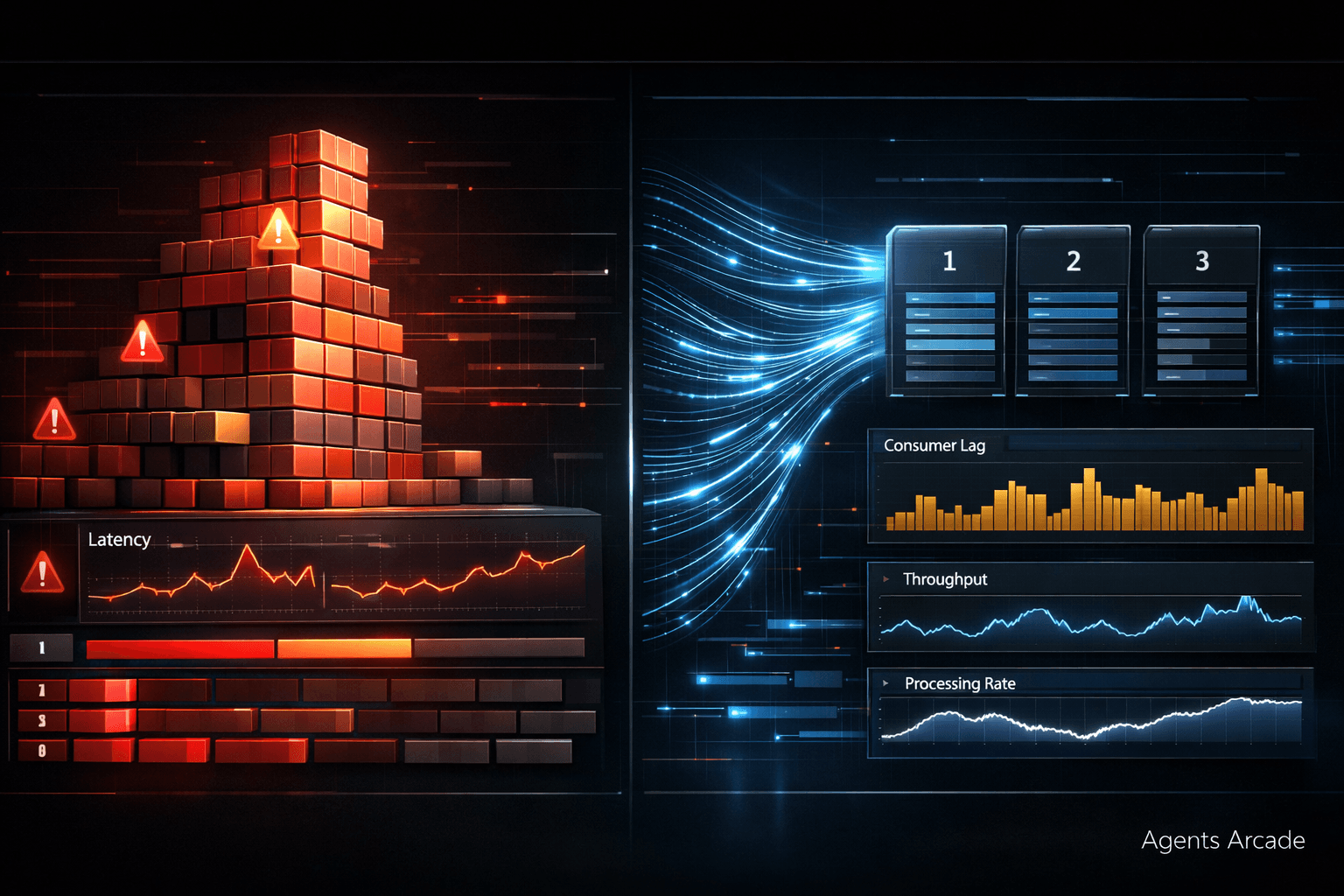
The queue started building backlog:
- LLM calls slowed down
- Workers couldn’t keep up
- Messages aged in the queue
Latency went from seconds to minutes.
The worst part? The system didn’t fail loudly. It degraded silently.
Agents started:
- Responding with outdated data
- Timing out mid-workflow
- Triggering retries that made things worse
We tried scaling workers. That helped briefly. Then we hit API rate limits.
The real issue wasn’t compute—it was architecture.
We had no visibility into:
- Where delays occurred
- Which stage caused bottlenecks
- How messages flowed across the system
We replaced the core pipeline with a streaming backbone.
That gave us:
- End-to-end visibility
- Consumer lag metrics
- Replay capability
We didn’t just fix latency. We understood the system.
This connects directly to latency design decisions—something most teams ignore until production hits them. We broke this down further in latency vs throughput trade-offs.
Backpressure, Retries, and Reality
AI agents introduce unpredictable load.
One request might trigger:
- 1 LLM call
- Or 10 tool calls
- Or a recursive reasoning loop
Your messaging system must handle that variability.
Backpressure
Queues:
- Backpressure shows as backlog
- You scale workers or throttle input
Streams:
- Backpressure shows as consumer lag
- You adjust partitions, consumers, or processing logic
Streams give you more visibility. Queues give you simpler control.
Retries
Queues:
- Built-in retry mechanisms
- Risk of duplicate processing
Streams:
- You handle retries at the consumer level
- You can replay events
Neither approach solves idempotency for you. You must design for it.
The Hidden Layer: Workflow Orchestration
Messaging alone doesn’t orchestrate agents. It only moves signals.
Real orchestration requires:
- State tracking
- Step coordination
- Conditional branching
This is where tools like LangGraph and similar frameworks come in. They sit above your messaging layer.
Here’s the mistake I see:
Teams expect Kafka or RabbitMQ to handle orchestration logic.
They won’t.
Messaging systems:
- Transport data
- Signal events
They don’t:
- Track workflow state
- Manage dependencies
- Handle decision trees
You need a separate orchestration layer.
If you’re evaluating partners or building internally, this is where experience matters. A good ai agent development company will separate messaging from orchestration instead of mixing concerns.
Streams Are Not Always the Answer
Let me be blunt.
Kafka is overkill for many AI systems.
If your system:
- Handles low to moderate traffic
- Runs linear workflows
- Doesn’t need replay
Then streams add:
- Operational complexity
- Maintenance burden
- Debugging overhead
I’ve replaced Kafka with queues in multiple systems—and performance improved because the team could actually operate the system.
Streaming only pays off when:
- You need event history
- You run multi-agent interactions
- You require independent consumers
Otherwise, you’re solving problems you don’t have yet.
Queues Are Not “Too Simple”
On the other side, I’ve seen teams dismiss queues as “not scalable enough.”
That’s wrong.
Queues scale very well when:
- Workloads are predictable
- Tasks are independent
- You don’t need system-wide visibility
In many AI pipelines:
- Tool calls
- Data enrichment
- Batch processing
Queues outperform streams because they reduce cognitive load.
Simplicity is not a weakness. It’s an advantage—until your system outgrows it.
Designing the Right Hybrid Architecture
The best systems I’ve built don’t choose one. They combine both.
A practical pattern:
- Use queues for:
- Task execution
- LLM calls
- Background jobs
- Use streams for:
- System events
- Observability
- Multi-agent coordination
This gives you:
- Execution control
- System visibility
- Scalability where it matters
But this only works if you draw clear boundaries.
If you mix concerns, you’ll end up debugging both systems at once—and that’s where things fall apart.
Who Should Own This Decision?
Not product managers.
This decision shapes:
- System reliability
- Debugging complexity
- Operational cost
It requires:
- Understanding failure modes
- Experience with distributed systems
- Awareness of AI-specific behavior
Architects and senior engineers must own it.
If your team lacks that experience, don’t guess. Get a second opinion. A strong team offering ai agent development services should challenge your assumptions, not just implement your plan.
Final Thoughts: Choose Based on Failure, Not Features
Most architecture decisions get made based on features.
That’s a mistake.
You should choose based on:
- How the system fails
- How you debug it
- How it scales under stress
Queues fail quietly with backlog.
Streams fail loudly with operational complexity.
Pick the failure mode you can handle.
And remember—AI agents amplify everything:
- Latency
- Errors
- Load
- Complexity
Your messaging layer will either stabilize that—or expose every weakness in your system.
Final Call
If you’d benefit from a calm, experienced review of what you’re dealing with, let’s talk. Agents Arcade offers a free consultation.
Majid Sheikh is the CTO and Agentic AI Developer at Agents Arcade, specializing in agentic AI, RAG, FastAPI, and cloud-native DevOps systems.